

Setting up a virtual office in London is a straightforward way to establish a professional business presence without the cost of a physical workspace. To ensure a smooth application process, it’s important to prepare the required documents in advance. In this guide, we’ll walk you through the key documents to set up a virtual office in London, including the proof of identity, as well as the UK regulations that support identity verification.
How to set up a virtual office in London: A practical guide for business
Step 1: Decide how your virtual office will be used
Before choosing a provider, consider how your business plans to use the virtual office. Some companies only require a registered business address, while others may need additional administration support in mail handling, call answering services, or access to meeting rooms. Understanding your requirements will help you select the right package and avoid paying for unnecessary features.
Step 2: Choose a suitable virtual office location in London
London offers a wide range of virtual office providers across major business districts, so it’s important to look beyond the address alone when comparing options. While a prestigious London location can enhance your professional image and credibility, the services included can have an equally significant impact on your day-to-day operations.
For start-ups and growing businesses, it may be worth considering providers that offer an all-in-one solution, combining a business address with services such as mail handling, call answering and meeting room access. Choosing a package that aligns with your business needs can provide valuable support during the early stages of growth.
Start-ups assessing this type of package may also wish to consider whether a UK business centre address is appropriate for their credibility, budget and working model.

Step 3: Register your business
After selecting a virtual office provider, you can register your business and nominate the virtual office address as your registered office address, where applicable. You may also need to complete any relevant tax registrations depending on your business structure.
Step 4: Complete identity verification and compliance checks
Most virtual office providers are required to carry out identity and compliance checks before activating services. Be prepared to provide proof of identity, proof of address, and business registration documents to meet anti-money laundering and regulatory requirements.
Step 5: Set up mail handling and forwarding procedures
Once your virtual office is active, decide how business correspondence will be managed. If you plan to handle mail yourself, ensure the correct mailing and correspondence details are registered with the relevant authorities and service providers by the application.
Alternatively, many businesses choose a virtual office service with mail forwarding, allowing the provider to receive, manage and forward correspondence on their behalf. Depending on the provider, you may also be able to select additional mail handling options that best suit your business needs.

Step 6: Keep your business information up to date
Once your virtual office is in place, ensure your registered office details, contact information, and company records remain accurate and up to date. This helps ensure you receive important correspondence and remain compliant with your ongoing business obligations.
The process is straightforward; once you set up a virtual office package, you immediately gain access to a recognised W1 address and professional call handling.
What documents do you need to set up a London virtual office?
Setting up a virtual office in London requires two documents per individual: one to verify identity and one to verify address. Here is exactly what is accepted under each category.
Proof of identity: Providers offering virtual office, registered office, or mail forwarding services are required to verify the identity of directors, beneficial owners, and authorised representatives before activating an account. In most cases, you will need to provide one valid government-issued photo ID, such as:
- Passport
- Driving licence with a photocard
- National Identity Card
- HM Forces Identity Card
- Biometric residence permit (where applicable)
For limited companies, providers may also request company documentation, such as a Certificate of Incorporation, in addition to personal identification documents.
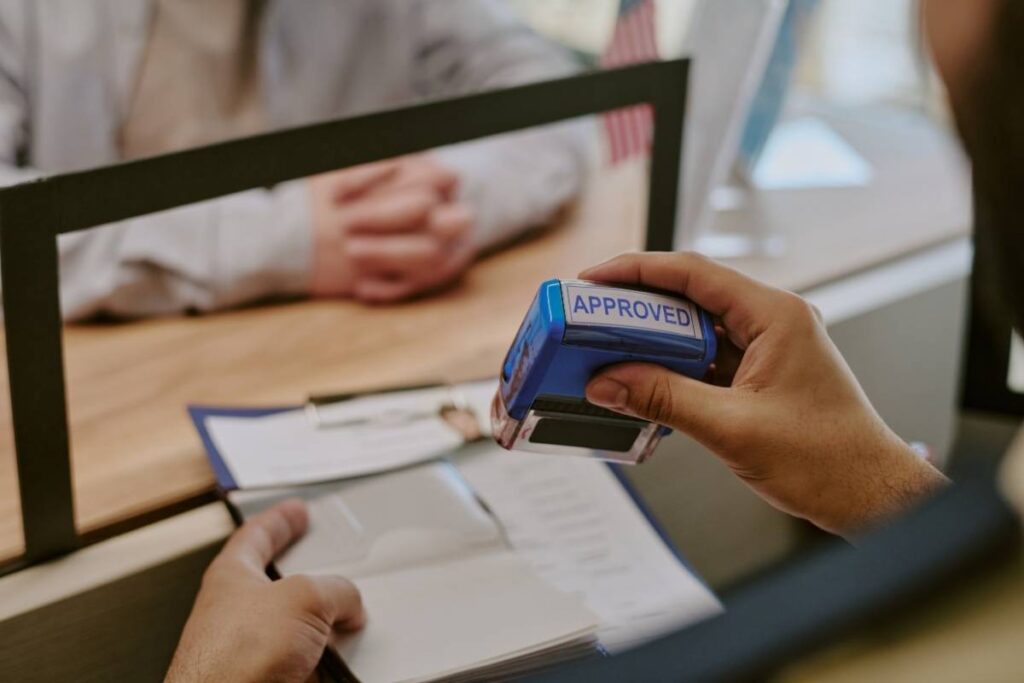
Proof of address: In addition to proof of identity, applicants must provide one document that verifies their residential address. The document should clearly display your full name and current address, and is typically required to be dated within the last three months. Accepted documents may include:
- Bank, building society or credit card statements
- Utility bills (gas, electricity, water or landline telephone)
- Council Tax bills or statements
- Mortgage statements
- HMRC correspondence
- DWP or other government-issued letters
- Tenancy agreements or proof of accommodation
Key UK legislation you need to know before setting up a virtual office
Before setting up a virtual office in London, businesses should ensure they have a legitimate UK business structure and a suitable registered office address for company registration and official correspondence. Companies must also comply with relevant tax obligations, maintain accurate business records and provide the necessary documentation required during the registration process.

If you are operated as providers offering registered office addresses, business addresses or correspondence services may be subject to the Money Laundering Regulations 2017 (MLR 2017). As a result, clients are typically required to complete identity verification and provide accurate personal and business information before services can be activated. These checks help providers meet their regulatory obligations and maintain compliance with UK anti-money laundering requirements.
Reduce workspace costs with flexible offices at Gilmoora House
Gilmoora House offers a wide range of office solutions, including service offices and business lounges tailored to different business sizes in prime London locations, helping businesses build credibility while staying flexible. In addition to physical workspace options, Gilmoora House also provides virtual office services designed for startups, remote teams, freelancers, and overseas companies that need a prestigious London business address.
Gilmoora House offers:
- A prestigious Central London business address for company registration and client correspondence
- Secure mail handling, scan-to-email services, and weekly mail forwarding
- Dedicated London phone numbers with professional call answering in your company’s name
- Call forwarding and voicemail options tailored to your preferred setup
- Discounted access to professional meeting rooms in Fitzrovia
Set up your offices with the virtual office package for your business today! Contact our team today and get started.
Book a Viewing
Enter your details and we will get back to you shortly.
FAQ
1. How long does the virtual office setup process take in London?
The setup process is usually completed within one to three business days, depending on the provider and how quickly identity verification documents are submitted. Delays may occur if additional compliance checks or supporting documents are required.
2. Can overseas businesses set up a virtual office in London?
Yes. Many virtual office providers accept applications from overseas businesses and non-UK residents. However, applicants must still complete identity verification checks and provide the required proof of identity, proof of address, and business documentation where applicable.
3. Virtual office vs registered office address: What Is the difference?
A registered office address is the official address recorded with Companies House and used for receiving statutory correspondence from government bodies. A virtual office is a broader service that may include a registered office address, as well as additional features such as mail handling, call answering, and access to meeting rooms.
Learn more:
- The Ultimate Guide to a Virtual Office in Central London
- 3 Simple Steps To Get A Prestigious Virtual London Business Address Without Renting An Office
- Mail Forwarding Explained: Your Complete Guide To A Central London Business Address Service
- Setup Virtual Office: London Document Checklist Guide
- Why Does Your Business Need A Professional Mailing Address?