
Setting up a modern meeting room, especially for hybrid meetings, can be a complicated and stressful process. Before booking the space, you’ll face the pressure of managing technology, selecting the right layout, and ensuring remote participants feel truly included.
That is where this guide comes in. We walk you through the essential preparation and equipment checklist to ensure your next meeting runs flawlessly from start to finish.
What do you need to prepare before setting up a meeting room?
Before you even look at a venue, a few key decisions will narrow down your search and ensure you find the right space:
- Choose a suitable location for all guests: Is the venue in a central, accessible area? In a busy city like London, ensuring easy transport links is vital for attendance.
- Estimate the exact capacity: This is crucial for the room’s atmosphere. A room that is too large can feel empty and low-energy, while one that is too small is uncomfortable and distracting.
- Define the meeting type: Will it be a fully in-person session or a hybrid meeting? If remote guests are joining, you must prioritise a venue with high-tech video conferencing equipment to ensure they feel included.
- Select the right room layout: This final step should match your meeting’s goals. Whether you need a boardroom for formal discussion or a U-shape for collaboration, the layout directly influences how your team interacts.
- Prepare the technology: Test all screens, microphones, and audio systems for compatibility with your devices and verify the Wi-Fi connection ahead of time.
- Check environment and acoustics: Ensure the room is well-lit without glare, features adjustable temperature controls, and offers good acoustics to prevent distracting echoes.
- Set up signage: Ensure a smooth arrival for your guests. Clear wayfinding from the main reception to the specific meeting room door prevents confusion and helps your meeting start on time.
Type of meeting room layout
The layout of a meeting room is not just about furniture; it’s about shaping the conversation. The right setup can encourage collaboration, improve focus, or help a presenter command the room. Here are eight common layouts and the types of meetings they are best suited for.
1. Boardroom style
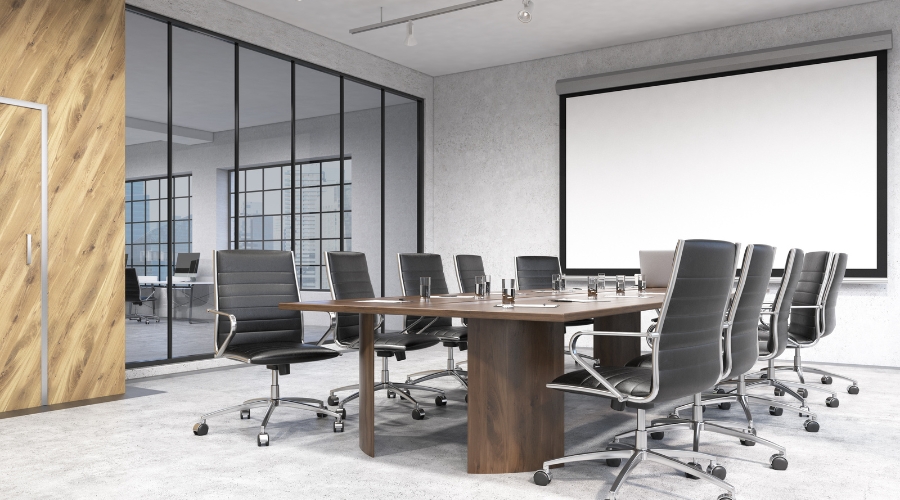
Boardroom style is the classic, formal setup featuring one long, rectangular table with chairs arranged around it.
Works best for: Executive-level discussions, board meetings, or any formal meeting where attendees need to interact directly with one another. It encourages a single, focused conversation and gives everyone at the table equal standing.
At Gilmoora House, we have the Mortimer Meeting Room, the Langham Meeting Room, the Portland Meeting Room, and the Margaret Suite are all perfect examples of this professional, executive style.
2. U-Shape style
In this layout, tables are arranged in a large “U” shape, with chairs placed around the outside. This leaves an open end, which is perfect for a presenter, facilitator, or video conferencing screen.
Works best for: Training sessions, workshops, and collaborative meetings. It allows the presenter to walk around and engage with attendees easily, while also allowing participants to see each other.

3. Box style
A box style, or hollow square, layout consists of tables arranged in a square with a space in the middle. Chairs are placed around the outside perimeter.
Works best for: Group discussions and team-building activities, especially when there are multiple team leaders or facilitators. It’s more formal than a U-shape but still allows for good interaction between all participants.

4. Classroom style
Just as the name suggests, this layout mimics a traditional classroom. Tables are set up in rows, all facing the front of the room, where a presenter and screen are located.
Works best for: Lectures, training sessions, product demonstrations, and seminars where attendees need to take notes on laptops or in notebooks. The focus is entirely on the presenter, and interaction between attendees is limited.

5. Theatre style
Theatre style is all about maximising room capacity. Chairs are arranged in rows, all facing a central stage or podium, with aisles for access. There are no tables.
Works best for: Large-scale presentations, keynote speeches, or company-wide announcements where the primary goal is for a large audience to listen and watch. It is not suitable for note-taking, eating, or group interaction.

6. Banquet style
Banquet style uses multiple round tables, typically seating 8-10 guests per table.
Works best for: Gala dinners, awards ceremonies, and large celebrations. While its main purpose is for dining, it can be used for events that combine a meal with a presentation. It is highly social and encourages conversation and networking, but only within each table group.
7. Huddle style
Huddle rooms are small, informal spaces designed for 2-6 people. The setup is simple: a small table, a few comfortable chairs, and often a screen for quick video calls.
Works best for: Brainstorming sessions, small team catch-ups, or as a quiet breakout space. It’s built for agility and quick collaboration, not for formal presentations.
At Gilmoora House, our Wells Meeting Room is a prime example of a huddle space, perfect for those focused, small-group discussions.
8. Cabaret style
Cabaret style is similar to banquet style, using round tables. However, there is one key difference: the chairs are placed in an open “U” shape around the table, so no one has their back to the presenter.
Works best for: Workshops, training sessions, and awards dinners where attendees need to watch a presentation but also interact and work in small groups at their table.
Our Titchfield Meeting Room can be arranged in this style for a flexible, interactive event.
An essential meeting room checklist
Once you know your layout, you need to check the tools. The meeting room setup checklist for a fully online webinar is very different from that of an in-person event. This section is broken into two parts to help you understand what to look for in both scenarios.
Essential checklist for online meeting room/ webinar
For a seamless webinar or virtual meeting, your focus is 100% on technology. Here is what to confirm:
Connectivity:
- High-speed Wi-Fi.
- A stable cable (Ethernet) connection is a reliable backup.
Video Conferencing Equipment:
- Professional, high-tech videoconferencing equipment.
- A high-definition camera.
- A high-quality microphone that can capture the entire room.
- A large, clear screen for presentations.
Support:
- A friendly, on-site service team.
- Access to an IT professional who can help you connect or troubleshoot any issues.
Essential checklist for an in-person meeting room
For a successful in-person meeting, your focus is on the comfort and experience of your guests. Here is your checklist:
Location & accessibility:
- A convenient location in a good neighbourhood with easy transport links.
- Ask if the building is pet-friendly, as this is a growing requirement for modern companies.
Room essentials & comfort:
- Brainstorming tools like whiteboards and flip charts.
- Effective climate control, including air conditioning and adjustable heating.
- Reliable audio-visual equipment (screen, microphone, and speakers).
Service & amenities:
- A friendly service team to support you, from greeting guests to helping with setup.
- Complimentary refreshments, such as tea, coffee, and sparkling water.
- Access to a comfortable breakout area nearby for breaks.
- The ability to arrange for professional catering.

Common mistakes when setting up a meeting room & how to avoid them
Setting up a room perfectly is a challenge, and a few common mistakes can derail an otherwise productive meeting. Here is what to watch out for and how to avoid these problems.
1. Ignoring room size
This problem happens when you book based only on the number of attendees. A room that fits “20 people” in a theatre style will feel incredibly cramped if you try to use a boardroom style for 20.
To avoid this, always book your room based on two factors: your guest count and your chosen layout. A good venue provider will tell you the capacity for each layout style, so you can choose a room that feels spacious and comfortable.
2. Poor lighting and room comfort
Poor, dim lighting or, conversely, harsh fluorescent light can cause eye strain and make attendees feel tired. A room that is too hot or too cold is a huge distraction.
To preclude this possibility, visit the room beforehand if possible. Look for natural light and adjustable blinds. Ask where the controls for the air conditioning and heating are, and ensure they are easy to use.
3. Poor acoustics and echo
This problem is common in rooms with high ceilings and hard surfaces, like large glass walls or concrete floors. The sound bounces around, creating an echo that makes it hard for in-person attendees to hear each other and almost impossible for remote attendees on a call.
To avoid poor acoustics, look for rooms with sound-dampening features like carpets, acoustic wall panels, or curtains. If you must use a large, echo-prone room, a good microphone system is essential.
4. Lack of technology equipment & support team
Issues often arise when you assume a “meeting room” includes all the tech. You arrive only to find there’s no screen, the cables don’t match your laptop, or there’s no one to help you. In order to avert this occurrence, get a written list of the essential meeting room equipment included in your booking.
Ask about how to set up video conferencing and confirm what support is available. The best solution is to choose a venue with an on-site IT and service team, so you’re never left to solve a tech problem on your own.

Why is Gilmoora House a good choice for your meeting location?
Planning a meeting doesn’t have to be stressful. The key is to choose a space designed for productivity and backed by a team you can trust. At Gilmoora House, we offer:
- Ready-to-use spaces: High-tech, pet-friendly meeting rooms available when you need them.
- Flexible layouts: Everything from small huddle rooms to large boardrooms.
- Hybrid capabilities: Equipped with the latest technology for remote and in-person collaboration.
- Full support: On-site IT and service teams to handle the details so you can focus on your agenda.
Book a viewing to discover meeting rooms at Gilmoora House!